Create the image you have in mind
Generate a new image or edit your own photo.
Image models
Choose a model to create an image or edit your photos. Check the price for your selected settings before generating.
GPT Image 2.5 · Flare & Sunburst
GPT Image 2.5 is not yet available to generate on AIVG. Explore Flare and Sunburst below, or create with our available image models.
Nano Banana 2
Nano Banana Pro
GPT Image 2
Seedream 5.0 Lite
Kling Image 3.0
Grok Imagine Image 2.0
Wan Image 2.7
FLUX Kontext Pro
FLUX Kontext Max
FLUX.2 Pro
Recraft V3
Ideogram V3
Qwen Image 2512
Ideogram V3 Edit
Topaz Image Upscale
Nano Banana 2 Region
Bria Expand
Bria Remove Background
Bria Replace Background
Qwen Multiple Angles
Generate a new image or edit one you already have
Choose an operation first, then a model that supports it. Choose the size, quality and image count supported by your model, then check the total credits before generating.
Two tasks you can try
Create an image from a description
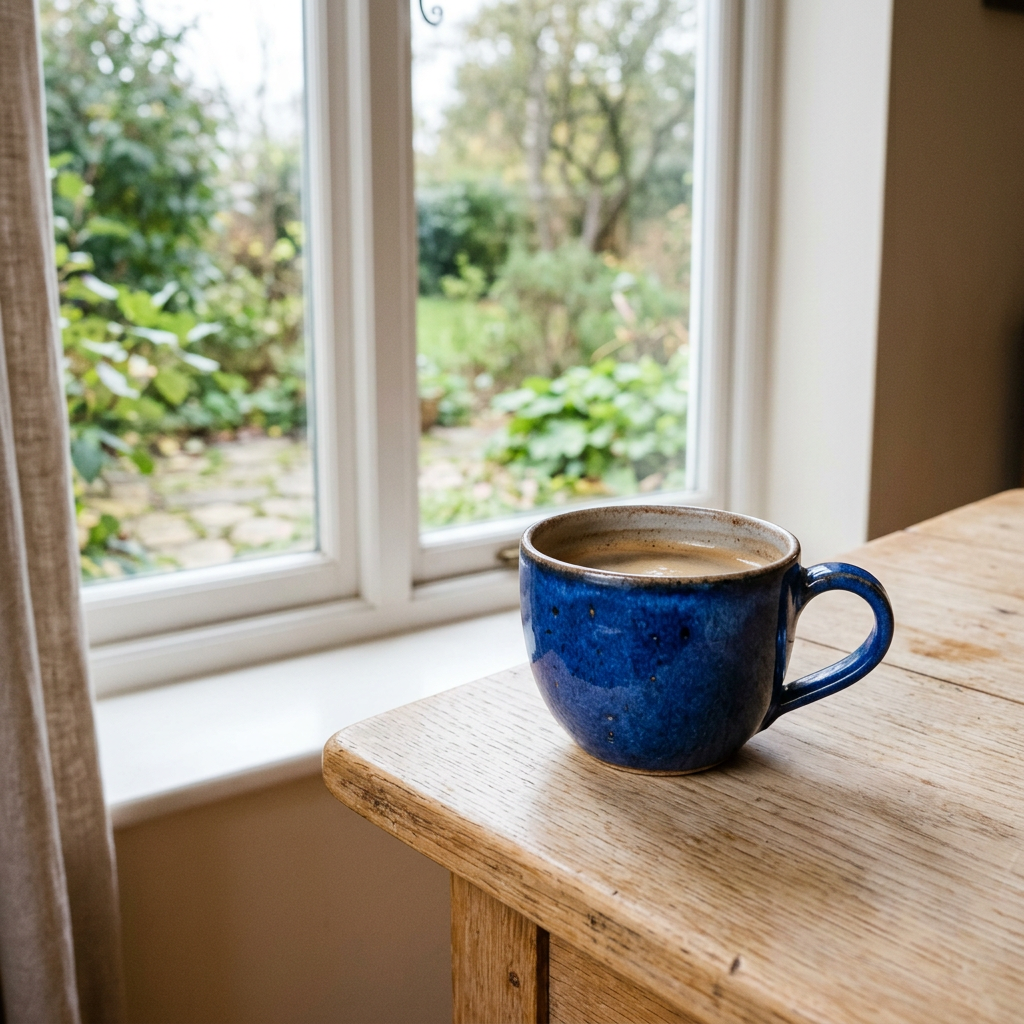
Recorded prompt (English)
A cobalt blue ceramic cup on a pale wooden table by a window. Soft natural light, realistic product photography, no letters, people, logos or extra cups.
Change a detail in an existing image
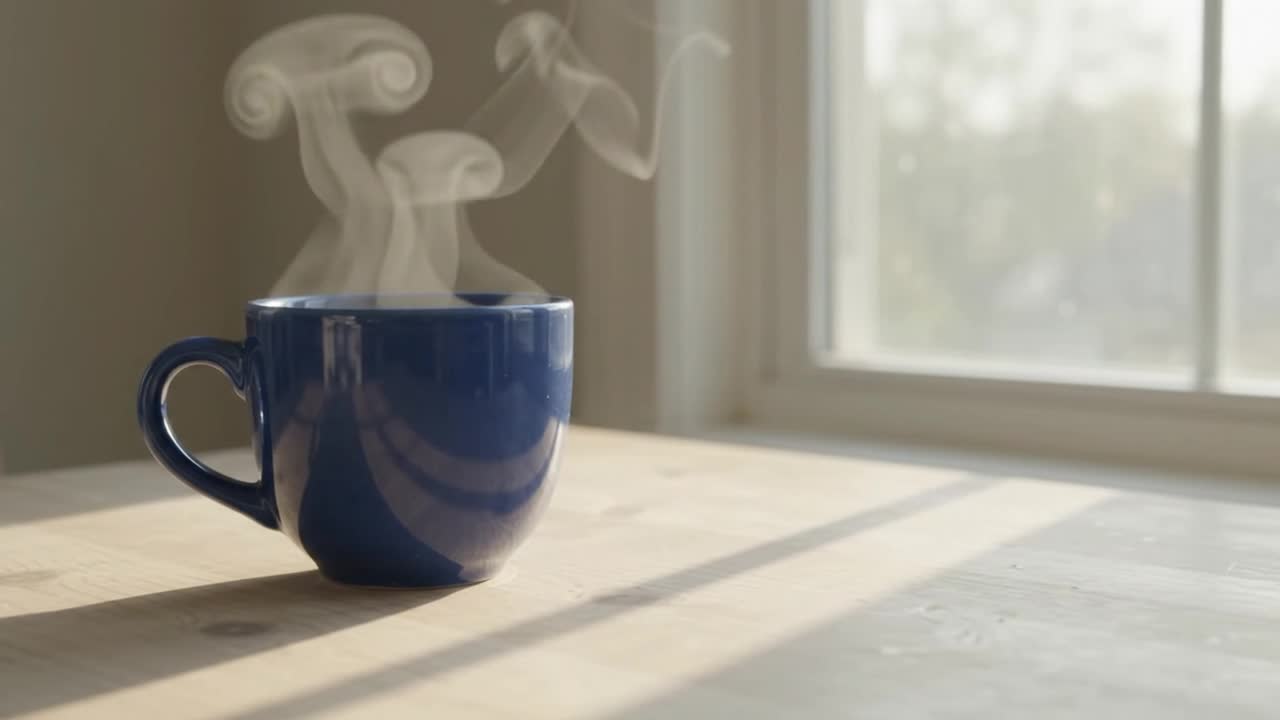
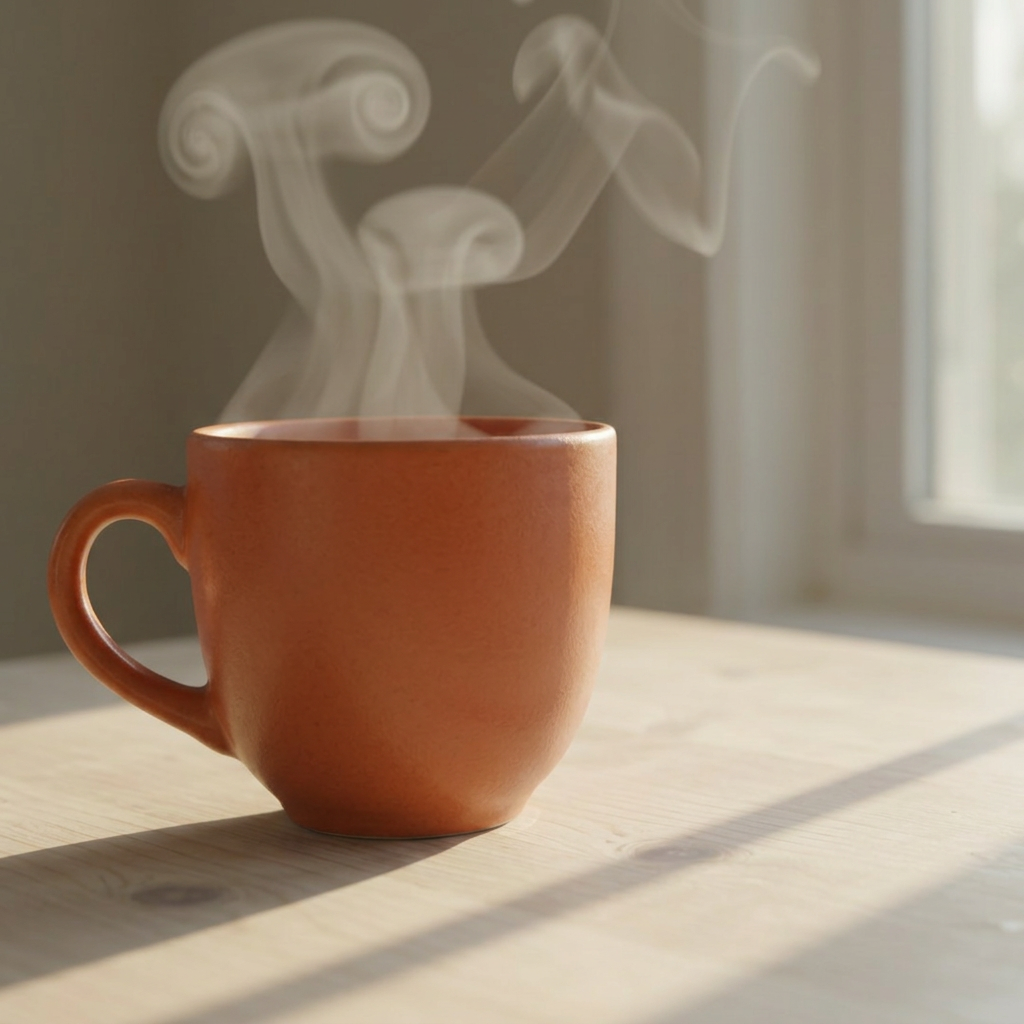
The edit requests an orange cup. The original is 16:9 and the output is 1:1, so the framing changes. Compare the cup, steam, shadows and background as well as the color.
Recorded prompt (English)
Change only the ceramic cup to warm terracotta orange. Preserve its shape, the table, composition, window lighting and background. No lettering, people or extra objects.
How to create an image
- 1. Choose Generate image or Edit image and a compatible model.
- 2. Describe the result. For editing, upload your JPG or PNG photo, up to 10 MiB.
- 3. Choose your output settings, check the total credits, then generate and download your images.
Questions about image creation
Do all models support editing?
No. The model list is filtered by the selected operation. Switching from generation to editing selects a compatible configuration and updates its price.
Can I change image size and quality?
Open settings to see your model’s size, quality and image-count options. Available choices vary by model, and the total credits update as you make changes.
Can I use the result in a video?
Select an existing generated image in your asset library or continue from its result. Keep the original, choose a compatible image-to-video mode, and submit the video separately; it is not made automatically.