Create videos from text or images with Vidu Q3 Pro, with generated audio.
What can you create with Vidu Q3 Pro
Bring characters and short stories to life with Vidu Q3 Pro. Describe the action and scene changes, or start from a photo and add movement with optional sound. Vidu is a model family, not a single configuration. The official model map separates Q3, Q2 and other generations. This page opens Q3 Pro; Q2 Pro and Q2 Turbo have their own linked pages. Features of other family variants are not automatically available here.
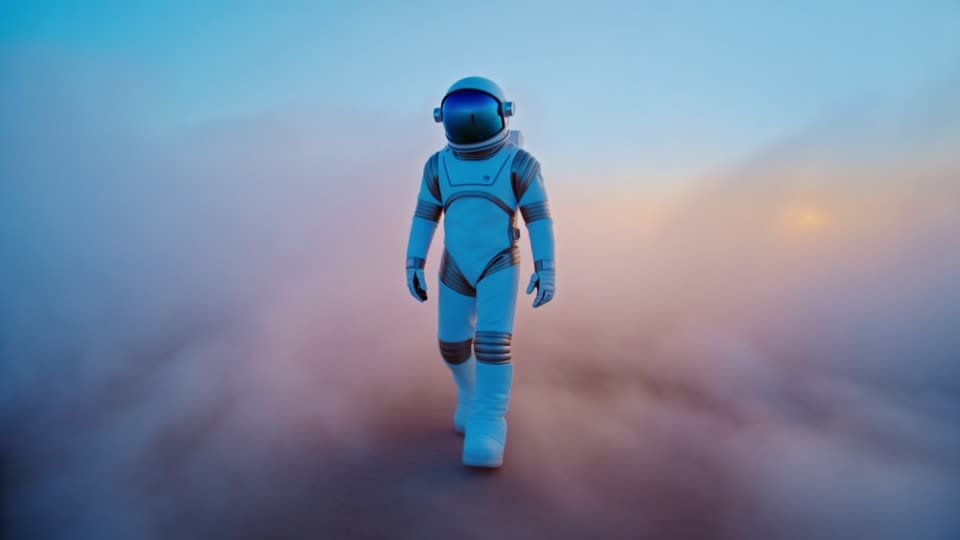
An astronaut walks through blue and amber fog. Follow the gait, changing pose and moving atmosphere to assess a character-led shot. This example illustrates one visual style; it does not establish dialogue quality or multi-shot consistency.
Platform-published demonstration · fal.ai · 720p
720p example published by fal.ai for Q3 Pro. View the original prompt at the source.
Give a character a small goal and describe the sequence. In this AIVG test, the bird approaches the instrument, the view cuts closer, then returns to a wider pose.
Prompt (English)
A playful clay animation with one small orange bird in a sunlit miniature garden. Three clear shots in five seconds: begin with a wide view as the bird hops toward a tiny wooden xylophone; cut to a close-up as it taps one key with its beak; cut back to a wider view as the bird tilts its head proudly. Keep the same bird and garden across the cuts. Soft bird footsteps and one bright wooden musical note, quiet garden ambience. No speech, captions, logos or background music.
Generated video
AIVG test recording · 5.041667s · 2026-09-07 · Current quote: 185 credits
Prompt and settings
720p · 5s · 16:9
Input: Text only, with generated audio included.
What to check: The requested visual beats appear. Check continuity across the cuts and listen for the requested wooden note; exact timing and audio synchronization are not scored.
Create a product scene from text
Describe the subject, light and camera movement to explore a new shot without an input photograph. Compare the result with the same prompt on another model.
Prompt (English)
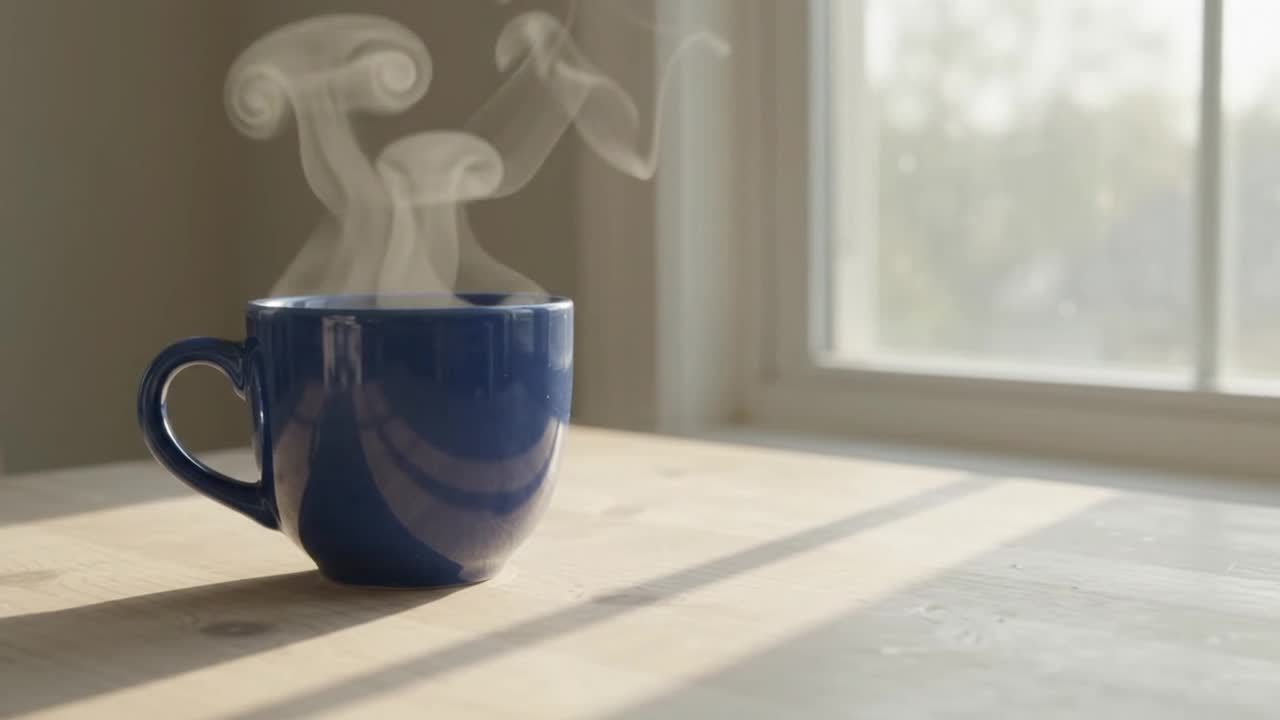
A plain cobalt blue ceramic cup rests on a pale wooden table beside a window. Soft morning light, gentle steam rising, one slow camera push-in. No people, no lettering, no logos. Keep the cup shape and tabletop stable.
Generated video
AIVG test recording · 5.041667s · 2026-09-06 · Current quote: 185 credits
Prompt and settings
720p · 5s · 16:9
Input: Text prompt; generated audio included.
What to check: This text example produces a cup without a visible handle. Do not assume exact product geometry from the prompt alone.
Bring a starting photograph into motion
Upload a photograph to establish the starting subject and composition. Describe the movement you want, then compare the first frame and the rest of the clip with your original.
Starting image
Prompt (English)
A plain cobalt blue ceramic cup rests on a pale wooden table beside a window. Soft morning light, gentle steam rising, one slow camera push-in. No people, no lettering, no logos. Keep the cup shape and tabletop stable.
Generated video
AIVG test recording · 5.041667s · 2026-09-06 · Current quote: 185 credits
Prompt and settings
720p · 5s · 16:9
Input: A photograph you own or have permission to use; generated audio included.
What to check: Compare the handle, steam, framing and background with the starting image. A starting frame does not guarantee preservation throughout the video.
How to
How to use Vidu Q3 Pro
01
Choose text or image
Use text for a new scene, or upload a clear photograph to set the starting image.
02
Describe one shot
Specify the subject, one action and a camera movement. These examples use a blue cup and a slow push-in.
03
Review the quote and create
Check the exact credits, generate, then play the complete result in your creation. Reuse the inputs for another variation.
Example 720p · audio off / 5s: 185 credits, equivalent to $3.6815 USD using the 100-credit / $1.99 USD pack. Credits are purchased in packs; check the exact quote for your settings before generating.
Where it fits
Explore expressive character animation
Describe scene cuts in a short story
Generate audio and video together from text or an image
Know before you generate
Choose duration and resolution in settings; the credit price updates with your choices.
This page creates a new video from text or a photo. To change an existing clip, choose a video-editing model.
Review movement, fine details and sound before using the result.
Service and account details
AIVG does not provide an API, unlimited credits or watermark removal; official account matters go to Vidu.
Commercial use follows each model's own terms — confirm them before publishing.
Will the exported video have a watermark?+
Watermark and export permissions depend on your plan and selected model.
What happens to credits when generation fails?+
When a generation job reaches a failed state, the credits charged for it are returned to your balance.
When will I see the exact credit quote?+
Exact quote before every run.
What does this page include?+
Create a new video from text or animate a starting photo. Choose the duration, resolution and available sound options in settings.
How much does one video cost?+
The 5-second 720p example uses 185 credits. Other settings have different prices; check the amount before generating.
Can I edit an existing video with this model?+
This configuration creates a new video from text or a photograph. To change a specific existing clip, open AI video editing and choose a supported model such as Gemini Omni.
Where do these examples come from?+
Each example includes its source and settings. Use these to compare the input and result; your own generation may differ.
Where can I try Vidu, and which version does this page use?+
Vidu is a model family, not a single configuration. The official model map separates Q3, Q2 and other generations. This page opens Q3 Pro; Q2 Pro and Q2 Turbo have their own linked pages. Features of other family variants are not automatically available here.